
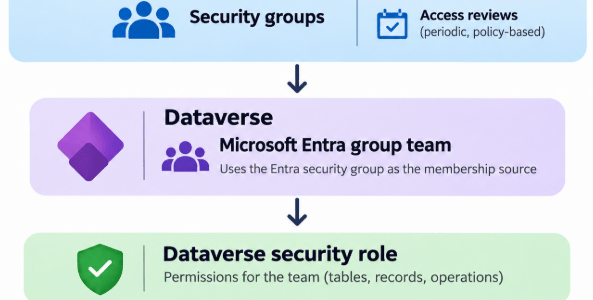
Microsoft has published a new reference architecture for standardizing Dataverse access control with Microsoft Entra security groups. This one is worth paying attention to, especially if your Dynamics 365 or Dataverse implementation has reached the point where security changes now feel like clerical work mixed with archaeology.
Microsoft reference architecture:
https://learn.microsoft.com/en-us/power-platform/architecture/reference-architectures/standardize-dataverse-access-control
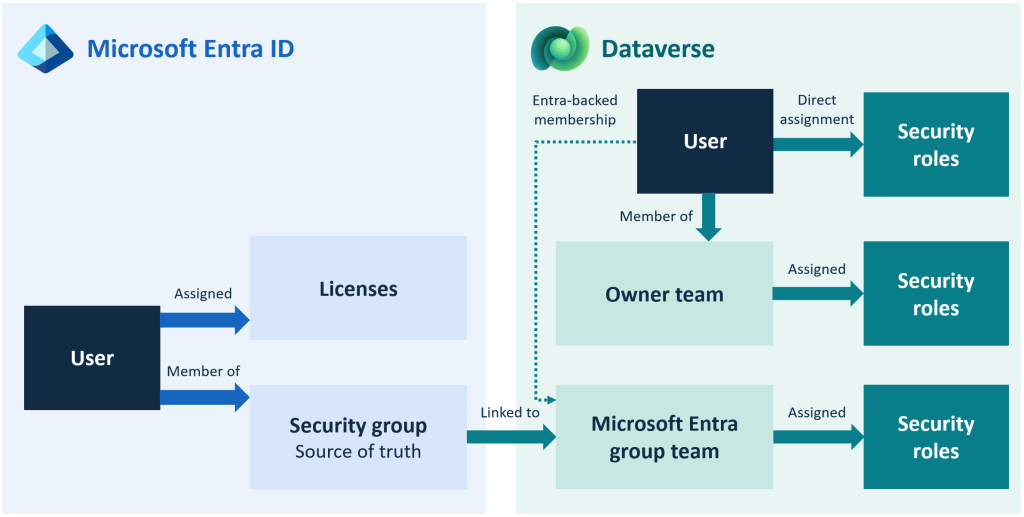
Hmmm, I know that author….credit to my Canadian colleague Kylie K! The core idea is simple:
Entra group → Dataverse team → Dataverse security role
Instead of assigning security roles directly to users one by one, you manage membership in Microsoft Entra ID, map that group to a Dataverse team, and assign the security role to the team. I mentioned this already in part 3 of my security series. Microsoft’s reference architecture says that this “centralizes access management, reduces administrative overhead, and aligns Dataverse access with organizational identity and lifecycle processes.”
Why this matters
This is one of those things that sounds boring until you’ve actually had to maintain security in a real system.
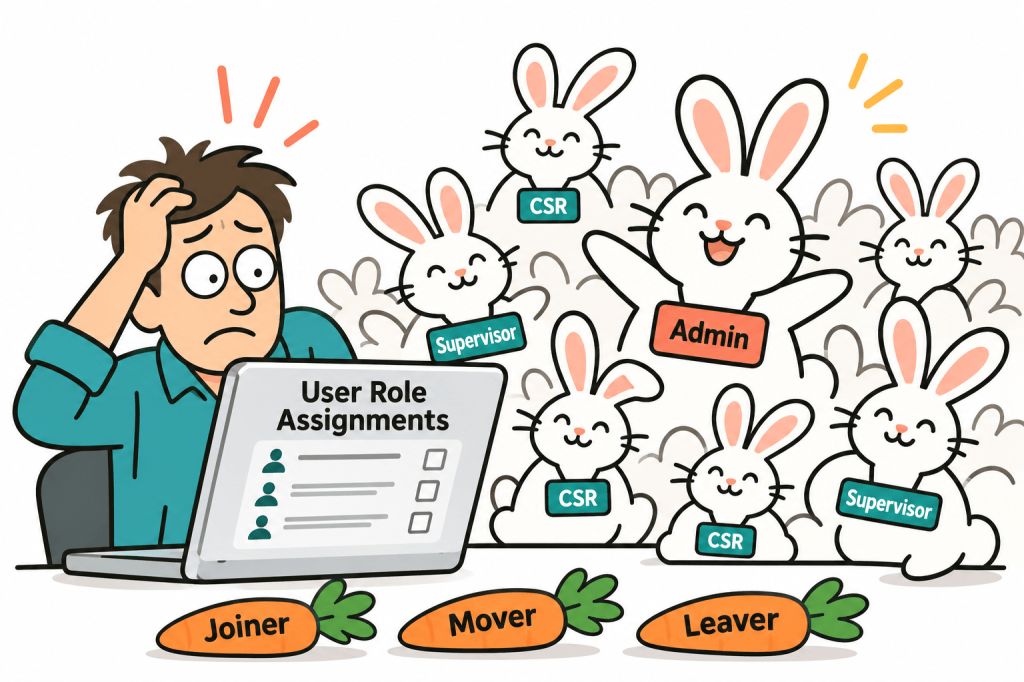
If your security model relies on manually assigning roles to individual users, then every joiner, mover, and leaver becomes more annoying than it needs to be. Somebody changes departments, somebody covers for somebody else, somebody leaves the organization, and suddenly your role assignments start breeding like rabbits.
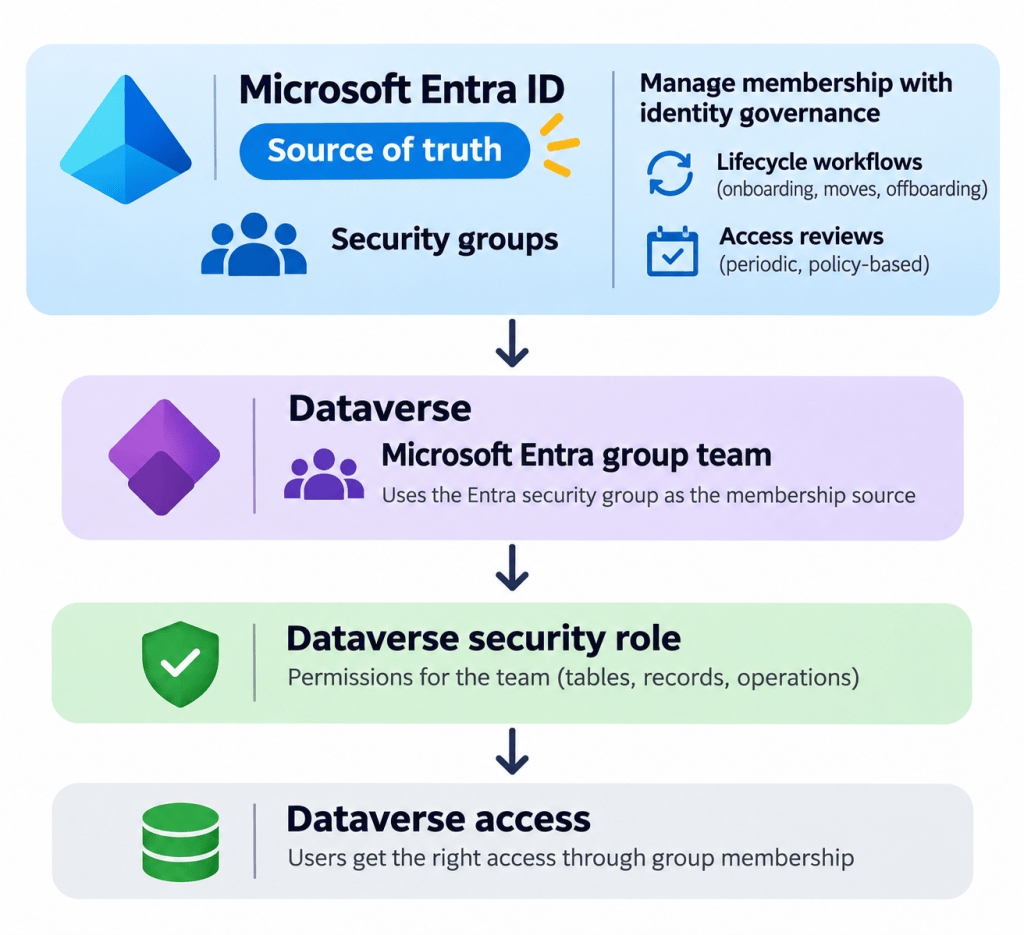
Microsoft’s architecture pushes the source of truth back to Entra ID. Admins create and maintain security groups there, then use standard identity governance processes like lifecycle workflows and access reviews to add or remove people. Dataverse then uses teams of type Microsoft Entra group team as the security container inside the environment.
This means your Dataverse security can start to follow the same identity-governance approach the rest of the organization is hopefully already using, instead of becoming its own weird little island.
What Microsoft is actually recommending
The workflow in the architecture is pretty straightforward:
- Manage user identity and group membership in Microsoft Entra ID.
- Create Dataverse teams of type Microsoft Entra group team.
- Assign Dataverse security roles to those teams.
- Let Dataverse evaluate effective access based on the union of direct roles, group-team roles, owner-team roles, and business-unit hierarchy rules.
Microsoft also makes an important point about exceptions: direct user role assignment should still exist, but only in a small number of cases and should be treated as exceptions to the standard model.
A couple of important gotchas
This pattern is better, but it is not magic.
First, Dataverse still evaluates a user’s effective permissions as the union of multiple sources: direct user roles, team-inherited roles, owner-team roles, and business-unit hierarchy rules. So removing somebody from one Entra group doesn’t automatically mean they lose all access if they’re also getting privileges somewhere else.
Second, Microsoft explicitly notes that users still need to meet environment and licensing requirements.
Third, if you’re already deep into a messy security model, moving to this pattern may not be a tiny cleanup job. It may require you to rethink:
- which access profiles actually exist
- which ones should map to Entra groups
- where owner teams still belong
- which direct assignments are legitimate exceptions
- and where your business-unit design is helping or hurting you
So no, this is not a silver bullet. But it is a much saner default.
Why I think this is a good reference architecture
The real value here is not that Microsoft invented group-based security. Obviously they didn’t.
The value is that they have now published a formal architecture pattern that says, in effect:
stop maintaining Dataverse access one person at a time if your organization already has identity governance tooling
That should have been obvious for a long time, but a lot of implementations still drift into user-by-user role assignment because it feels quicker in the moment…..
….And nobody gets into Power Platform consulting because they dream of manually assigning security roles to Barry from Procurement for the seventh time.
How to do it
1. Create the security group in Microsoft Entra ID
Start in Microsoft Entra ID and create the security group that will represent the access profile you want to manage.
For example: D365 Customer Service Agents
Add the appropriate users to the group.
Microsoft requires the Entra group to exist before you create the corresponding Dataverse group team. Microsoft also recommends obtaining the group’s Object ID as part of the setup.
{screenshot: Microsoft Entra security group with several members}
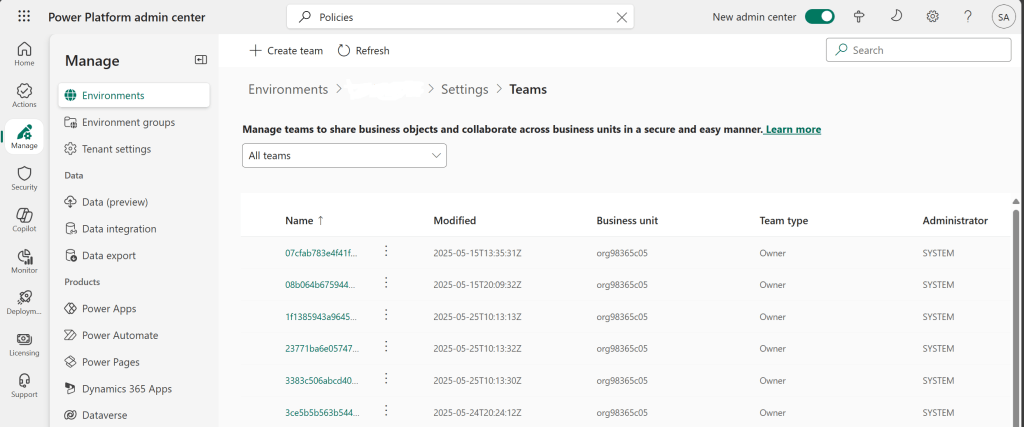
2. Open the Teams configuration for your Dataverse environment
In the Power Platform admin center:
Manage → Environments → select your environment → Settings → Users + permissions → Teams
Then select + Create team.
3. Create the Dataverse group team
Fill in the normal team information
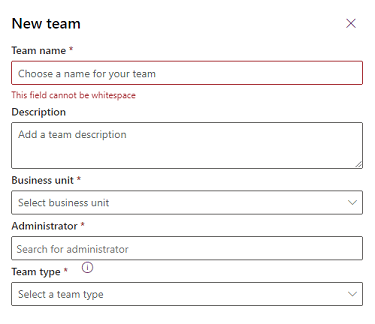
For Team type, select:
Microsoft Entra Security group
You can also create teams based on Microsoft 365 groups, but for the security pattern we’re talking about here, the Entra security-group option is the obvious fit.
Then select the existing Group name from Microsoft Entra ID.
4. Choose the membership type carefully
Dataverse lets you decide which members of the Entra group become members of this Dataverse team.
The options include:
- Members
- Owners
- Guests
- Members and guests
For most normal employee-access scenarios, Members is probably what you’re looking for.
5. Assign the Dataverse security role to the team
Once the team exists, go back to the Teams list. Select the team and choose: Manage security rolesSelect the Dataverse security role or roles that this group should receive, then save.
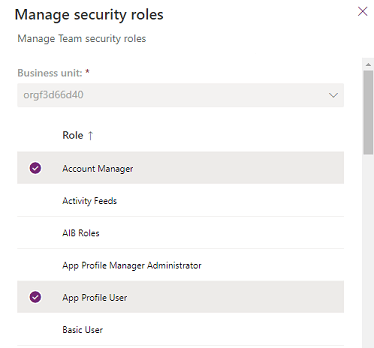
IMPORTANT: The security role is being assigned to the Dataverse team, not individually to every person in the group.
6. Manage the people in Entra, not Dataverse
From this point forward, you normally shouldn’t need to add and remove members from the Dataverse team manually. In fact, Microsoft states that membership for Microsoft Entra group teams should be managed through Microsoft Entra ID. Dataverse derives the group-team membership from the Entra group when users access the environment.
So onboarding becomes:
Add Robert to the Entra group
rather than:
Find Robert → open Dataverse → figure out which three security roles Robert is supposed to have → hope somebody documented this somewhere.
The improvement is deciding that identity membership is maintained in one place, and letting that membership drive application access rather than manually rebuilding the same organizational structure inside every Dynamics environment.
Well – hope you enjoyed this – shoutout to Kylie for the awesome writeup on Microsoft learn!
See you next time!


